
Table of Contents
Introduction: The Future of Work & Your Workspace
The working landscape in 2026 is radically different than even a few years ago. Remote and hybrid work models are now the norm for a vast portion of the UK workforce. This shift necessitates a dedicated, productive workspace, no longer a ‘nice-to-have’ but a fundamental requirement for success. The increasing integration of Artificial Intelligence (AI) into our daily tasks further elevates the need for a focused environment. To truly leverage the power of AI tools – from intelligent assistants to complex data analysis software – requires a space free from distractions, designed to promote concentration and creative thinking.
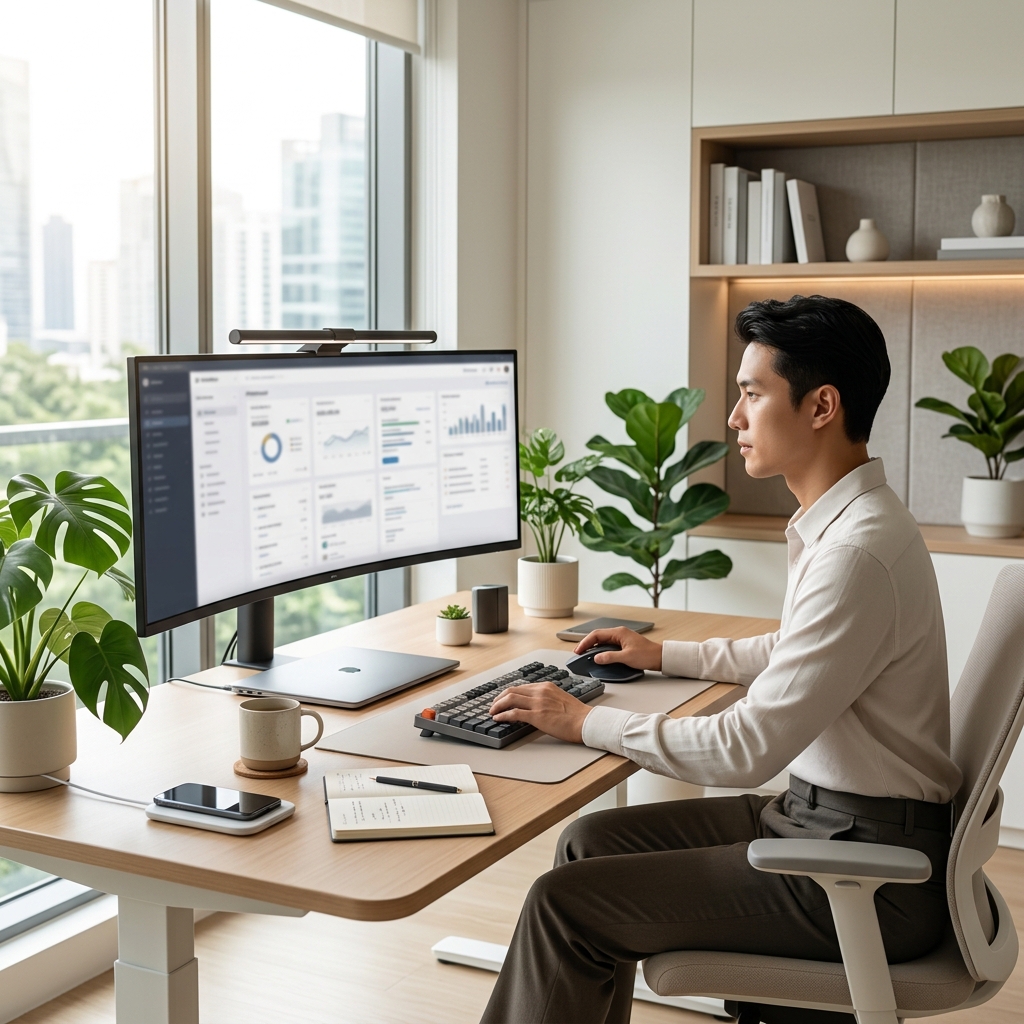
The Foundation: Choosing the Right Space
Selecting the right space is paramount. Ideally, it should be a dedicated room, distinctly separated from leisure areas. Minimising distractions is key – consider factors like foot traffic, noise levels, and visual clutter. Natural light is incredibly important for mood and focus, so prioritise a room with windows. If a separate room isn’t feasible, focus on creating a designated ‘zone’ within a larger space. Utilising corners or partitioning off areas with bookshelves or screens can effectively delineate work from relaxation.
Smaller Space Solutions: Think vertically! Wall-mounted shelves, floating desks, and clever storage solutions maximise limited space. Multi-functional furniture, such as a desk that converts into a shelving unit, can also be incredibly valuable.
Ergonomics: Setting Up for Comfort & Health
A poorly set-up workspace can lead to discomfort, pain, and long-term health issues. Ergonomics focuses on designing the workspace to fit the user, not the other way around.
- Chair: Invest in a quality ergonomic chair like the Herman Miller Aeron Chair (£1650.0). Adjust the seat height so your feet are flat on the floor and your knees are at a 90-degree angle. Ensure the chair provides adequate lumbar support.
- Monitor: Position the monitor at arm’s length, with the top of the screen at or slightly below eye level. Consider using a monitor arm, such as the Ergotron LX Desk Mount LCD Arm (£289.99), to achieve optimal positioning and free up desk space.
- Keyboard & Mouse: Place your keyboard and mouse close to your body, keeping your elbows bent at a 90-degree angle. A comfortable mouse like the Logitech MX Master 3S Wireless Mouse (£119.99) can significantly reduce strain.
- Footrest: If your feet don’t comfortably reach the floor, use a footrest.
- Standing Desks: Adjustable standing desks, like the Fully Jarvis Standing Desk (£799.0), are increasingly popular. Alternating between sitting and standing throughout the day can improve circulation and reduce back pain.
Addressing common issues like back pain, neck strain, and carpal tunnel syndrome proactively is crucial. Regular stretching and short breaks are also essential.
Desk Essentials: Tools for Productivity (2026)
Beyond the basics, several tech-focused tools can dramatically enhance productivity in 2026:
- Ultra-Wide Monitor: Increased screen real estate boosts efficiency, allowing for multiple applications to be open simultaneously.
- Noise-Cancelling Headphones: A must-have for open-plan spaces or noisy environments. The Bose Noise Cancelling Headphones 700 (£349.95) are a top contender.
- Wireless Charging Pad: Keeps devices powered up without cable clutter.
- Smart Lighting: Adjustable colour temperature and brightness levels optimise lighting for focus and mood.
- Cable Management: Essential for a clean and organised desk. Cable sleeves, ties, and boxes prevent tangles and create a more streamlined appearance.
- AI-Powered Assistants: Smart speakers (like Amazon Echo or Google Nest) can handle tasks like setting reminders, playing music, and controlling smart home devices.
Lighting for Focus: Maximising Natural & Artificial Light
Good lighting is vital for both eye health and productivity. Maximise natural light whenever possible. Supplement with artificial light, using a combination of task lighting (for focused work) and ambient lighting (for overall illumination). Consider colour temperature – cooler, bluer light is more stimulating, while warmer, yellower light is more relaxing. Smart lighting systems, like Philips Hue Smart Desk Lamp (£199.99), allow you to adjust colour temperature and brightness throughout the day.
Declutter & Organise: A Minimalist Approach
A cluttered workspace leads to a cluttered mind. Regularly declutter your desk, removing anything that isn’t essential for your current task. Implement a robust storage system: drawers, shelves, and wall organisers are all invaluable. Establish a clear filing system – both digital and physical – to easily locate important documents. The benefits of a clean, organised workspace are immense: reduced stress, improved focus, and increased mental clarity.
Personalisation & Biophilic Design: Creating an Inspiring Environment
While minimalism is important, a sterile workspace can be demotivating. Add personal touches – artwork, photos, or small decorative items – that inspire you. Biophilic design, which incorporates natural elements into the workspace, is gaining popularity. Plants, natural materials (wood, stone), and nature-inspired artwork can reduce stress, increase creativity, and improve overall well-being.
Tech Integration: Streamlining Your Workflow
Optimise your tech setup for seamless workflow. Wireless peripherals (keyboard, mouse, headphones) reduce cable clutter. Docking stations simplify connecting multiple devices. Cloud storage ensures access to your files from anywhere. Collaborate effectively using tools like Microsoft Teams, Slack, or Google Workspace. AI-powered productivity apps (like Otter.ai for transcription or Grammarly for writing assistance) can further streamline your tasks.
Maintaining Productivity: Habits & Mindset
A productive workspace is only half the battle. Cultivate good habits to maintain focus and motivation:
- Time Management: Techniques like the Pomodoro Technique (working in focused 25-minute bursts with short breaks) and time blocking can improve efficiency.
- Set Boundaries: Clearly define your work hours and communicate them to family and colleagues.
- Minimise Distractions: Turn off notifications, close unnecessary tabs, and create a dedicated ‘do not disturb’ time.
- Regular Breaks: Step away from your desk every hour to stretch, walk around, or simply rest your eyes.
- Dedicated Routine: Establish a consistent workspace routine – starting and ending your workday at the same time – to signal your brain that it’s time to work.
Future-Proofing Your Workspace: Trends in 2026 & Beyond
The future of workspaces is dynamic. Emerging trends include:
- VR/AR Integration: Virtual and augmented reality could enable immersive collaboration and remote training experiences.
- Smart Home Office Automation: Automated lighting, temperature control, and even ergonomic adjustments based on user preferences.
- Evolving Role of AI: AI will play an even greater role in automating tasks, providing personalised insights, and enhancing productivity.
FAQ
Q: How much should I realistically spend on a home office setup?
Budget varies hugely. A basic functional setup can be achieved for around £500-£800. A high-end, ergonomic setup with advanced tech could easily exceed £2000-£3000.
Q: Is a standing desk really worth the investment?
For many, yes. They can improve posture, reduce back pain, and boost energy levels. However, it’s essential to alternate between sitting and standing and to have proper footwear.
Q: What’s the best way to manage cables?
Cable sleeves, ties, and boxes are essential. Consider a cable management tray underneath your desk. Wireless peripherals also reduce cable clutter.
Q: How can I make my workspace more visually appealing?
Add plants, artwork, and personal photos. Choose colours that promote focus and creativity. Ensure good lighting and maintain a clean, organised space.
Q: What are the benefits of using a monitor arm?
Monitor arms free up desk space, allow for optimal monitor positioning (reducing neck strain), and improve overall ergonomics.