
Table of Contents
Introduction: Why Home Office Ergonomics Matter
The shift towards remote work has accelerated dramatically in recent years, and 2026 sees more professionals than ever setting up shop in their homes. While the flexibility is fantastic, this new normal presents unique challenges to our health and wellbeing. A poorly designed home office can lead to a host of musculoskeletal disorders (MSDs) – from back pain and carpal tunnel syndrome to eye strain and headaches. These aren’t just discomforts; they can significantly impact productivity, and lead to long-term health problems. Investing in your home office ergonomics isn’t just about comfort; it’s about protecting your health, boosting productivity, and ensuring a sustainable work-life balance.
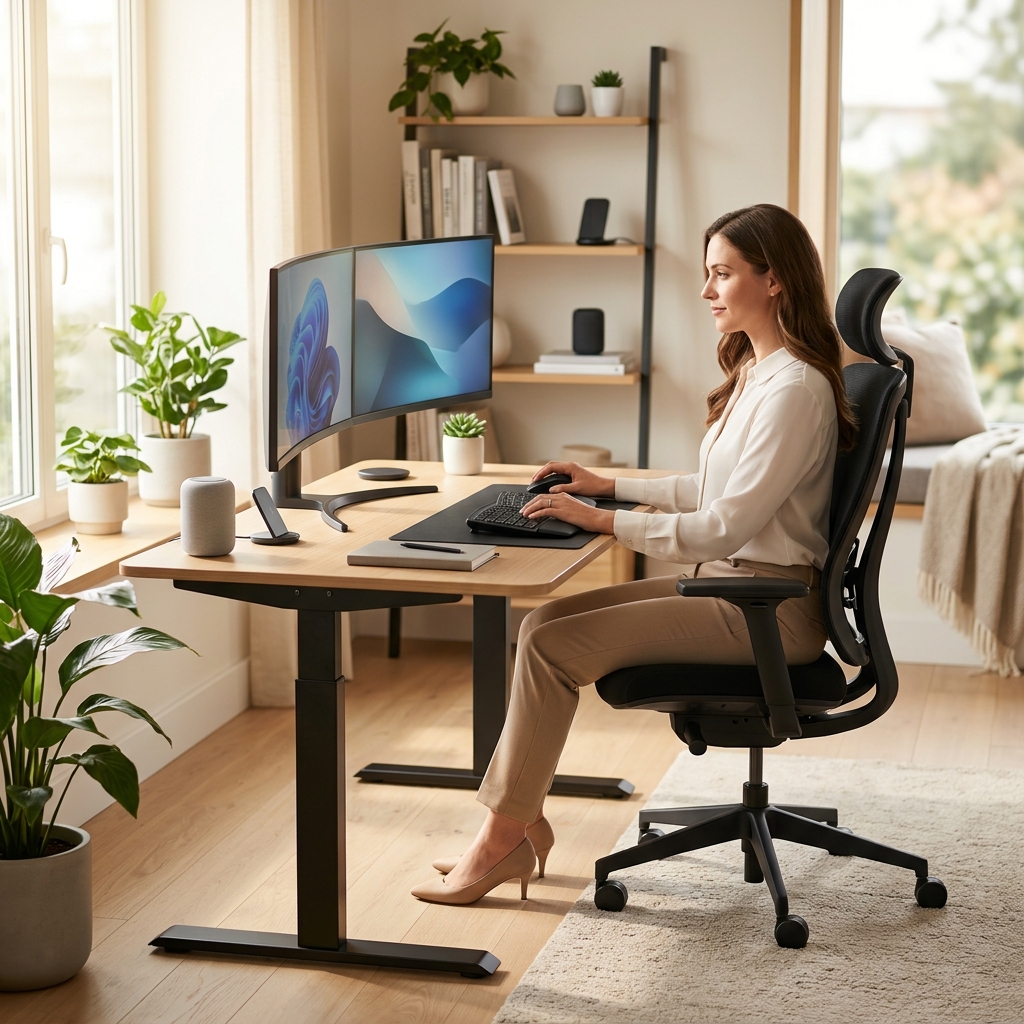
Understanding the Core Principles of Ergonomics
What is Ergonomics?
Ergonomics, at its core, is the science of designing workplaces, products, and systems to fit the people who use them. It’s about optimising the interaction between humans and their working environment. Applying ergonomic principles to your home office means tailoring your setup to your body’s needs, rather than forcing your body to adapt to an ill-fitting workspace.
Key Principles:
- Neutral Posture: Maintaining a natural alignment of your body, minimising strain on joints and muscles.
- Proper Positioning: Ensuring your body parts are correctly positioned relative to your workstation (e.g., monitor at eye level, keyboard within easy reach).
- Repetition Reduction: Minimising repetitive movements that can lead to strain injuries.
- Force Reduction: Reducing the amount of effort required to perform tasks.
- Working Within Reach: Keeping frequently used items within easy reach to avoid unnecessary stretching or twisting.
These principles, when applied thoughtfully, can transform your home office into a haven of comfort and productivity.
Your Ergonomic Workstation: Desk Setup Essentials
Desk Height
The correct desk height is crucial. Ideally, your elbows should be bent at a 90-degree angle when typing, with your shoulders relaxed. If your desk is too high, you’ll strain your shoulders and neck. If it’s too low, you’ll hunch your back. Consider an adjustable desk, like the Vari Electric Standing Desk Converter (£449.0), allowing you to switch between sitting and standing throughout the day.
Keyboard and Mouse Placement
Position your keyboard directly in front of you, ensuring your wrists are straight and your elbows are close to your body. The mouse should be placed close to the keyboard to minimise reaching. Using a wrist rest, such as the Amazon Basics Gel Wrist Rest (£19.99), can provide additional support.
Monitor Positioning
Your monitor should be positioned approximately an arm’s length away and at arm’s length. The top of the screen should be at or slightly below eye level. This prevents neck strain. Consider a monitor arm, like the Ergotron HX Desk Mount Monitor Arm (£289.99), for maximum adjustability.
Desk Space
A cluttered desk equals a cluttered mind. Keep your workspace organised and free from unnecessary items. Ensure you have enough space to comfortably move your mouse and keyboard.
The Right Chair: Investing in Your Spine
Your office chair is arguably the most important piece of ergonomic equipment. A good chair provides support, encourages good posture, and reduces strain on your back and legs. The Herman Miller Aeron Chair (£1650.0) remains a gold standard, but many excellent options exist.
Key Chair Features:
- Adjustable Lumbar Support: Essential for supporting the natural curve of your lower back.
- Adjustable Armrests: Allow you to support your arms comfortably, reducing shoulder strain.
- Seat Depth Adjustment: Ensures proper thigh support.
- Height Adjustment: Allows you to position your feet flat on the floor with your knees bent at a 90-degree angle.
- Breathable Material: Prevents overheating and discomfort, especially during long workdays.
Adjusting Your Chair
Take the time to properly adjust your chair. Start with the height, then adjust the lumbar support to fit the curve of your back. Adjust the armrests so your shoulders are relaxed. Finally, ensure your seat depth provides adequate thigh support. The Secretlab Titan Evo 2026 Series (£549.0) offers excellent adjustability options.
Posture Perfect: Maintaining a Healthy Spine
Even with the best equipment, poor posture can negate the benefits. Here’s how to maintain good posture while sitting:
- Back Support: Ensure your lower back is fully supported by the chair’s lumbar support.
- Shoulder Relaxation: Keep your shoulders relaxed and avoid hunching forward.
- Head Alignment: Your head should be aligned with your spine, not jutting forward.
- Feet Flat: Keep your feet flat on the floor or on a footrest.
[Link to visual aid demonstrating correct posture – e.g., an image or a short video]
Beyond the Desk: Peripheral Ergonomics
Accessories can significantly enhance your ergonomic setup:
- Footrests: If your feet don’t comfortably reach the floor, a footrest provides support and reduces leg strain.
- Wrist Rests: Provide support for your wrists while typing and using the mouse.
- Document Holders: Position documents at eye level to avoid neck strain.
- Laptop Stands: Raise your laptop screen to eye level, preventing you from hunching over. The Fellowes Crystal Adjustable Laptop Stand (£59.99) is a great option.
Lighting and Environment: Reducing Eye Strain
Poor lighting can cause eye strain, headaches, and fatigue. Maximise natural light whenever possible. Supplement with artificial lighting that is bright enough but not glaring. Adjust your screen brightness and contrast to a comfortable level. Consider using blue light filters on your devices to reduce eye strain, especially in the evening.
Movement and Breaks: Combatting Sedentary Behaviour
Sitting for prolonged periods is detrimental to your health. Take regular breaks – at least every 30-60 minutes – to stand up, stretch, and move around. The 20-20-20 rule is a great guideline: Every 20 minutes, look at an object 20 feet away for 20 seconds. Simple stretches can relieve muscle tension in your neck, shoulders, and back.
Ergonomic Solutions for Small Spaces
Limited space doesn’t mean you have to compromise on ergonomics. Consider:
- Wall-Mounted Desks: Free up floor space.
- Folding Chairs: Can be stored away when not in use.
- Multi-Functional Furniture: Opt for furniture that serves multiple purposes.
- Vertical Storage: Utilise wall space for storage to keep your desk clutter-free.
Future Trends in Home Office Ergonomics (2026 & Beyond)
The field of ergonomics is constantly evolving. In 2026 and beyond, we’re seeing exciting new trends:
- AI-Powered Posture Correction: Software and devices that use artificial intelligence to detect and correct poor posture in real-time.
- Advanced Adjustable Desks: Desks with even more sophisticated adjustment options, including programmable presets and integrated health tracking.
- Biometric Feedback Systems: Sensors that monitor your body’s stress levels and provide personalised recommendations for adjustments to your workspace.
- Haptic Feedback Technology: Chairs and other devices that provide subtle vibrations to encourage good posture and movement.
Frequently Asked Questions (FAQ)
Q: How often should I replace my office chair?
Generally, an ergonomic office chair should be replaced every 5-7 years, depending on usage and quality. Look for signs of wear and tear, such as broken adjustments or loss of support.
Q: Is a standing desk worth the investment?
For many people, yes. Standing desks encourage movement and can reduce back pain. However, it’s important to transition gradually and use an anti-fatigue mat to avoid leg and foot discomfort.
Q: What’s the best way to prevent carpal tunnel syndrome?
Proper wrist support, neutral wrist posture, and regular breaks are crucial. Using a wrist rest, avoiding excessive force, and performing hand stretches can also help.
Q: How important is lighting for eye strain?
Very important. Poor lighting can significantly contribute to eye strain. Ensure adequate brightness, reduce glare, and adjust your screen settings accordingly.
Q: Can ergonomics really improve my productivity?
Absolutely! A comfortable and well-designed workspace reduces discomfort, fatigue, and distractions, allowing you to focus more effectively on your work.