
Table of Contents
What is a Monitor Arm and Why Do You Need One?
In today’s increasingly digital world, many of us spend hours each day working at our desks. A monitor arm isn’t just a fancy accessory; it’s a crucial investment in your health, productivity, and workspace organisation. They offer a significant upgrade over the standard monitor stand, providing a wealth of benefits. These include improved ergonomics – allowing you to position your screen at the optimal height, distance, and angle to reduce strain on your neck, back, and eyes. Monitor arms also free up valuable desk space, creating a cleaner, more organised work environment. This can lead to increased focus and, ultimately, greater productivity.
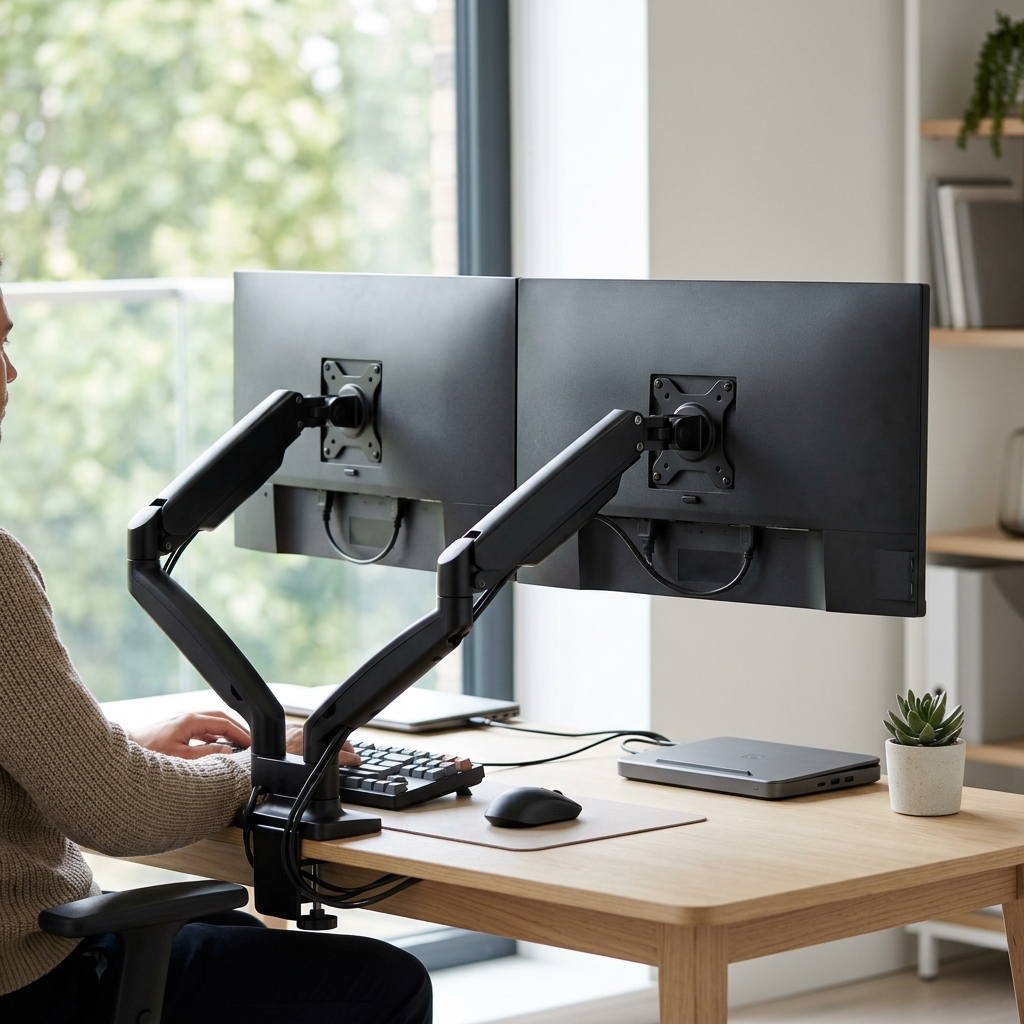
There are several types of monitor arms available. Gas spring arms use compressed gas to provide smooth, effortless adjustments. Tension spring arms rely on adjustable tension, offering a more budget-friendly option but potentially requiring more force to move. Digital height adjustable arms are becoming more common in 2026, utilising motors to ensure precision and preset heights.
Key Features to Consider When Buying a Monitor Arm in 2026
Choosing the right monitor arm requires careful consideration of several key specifications. Here’s what you need to know:
- Weight Capacity: Crucially, ensure the arm can support the weight of your monitor. Check your monitor’s specifications (usually found in the manual or online).
- VESA Compatibility: VESA (Video Electronics Standards Association) defines the mounting interface. Most monitors use 75x75mm or 100x100mm VESA patterns. Confirm the arm supports your monitor’s VESA size.
- Desk Clamp/Grommet Mount: Desk clamps are convenient but require a suitable desk edge. Grommet mounts involve drilling a hole in your desk for a more secure and stable installation.
- Arm Reach: The maximum extension distance of the arm determines how far you can position your monitor.
- Tilt, Swivel, and Rotation: These adjustments are essential for achieving the perfect viewing angle. Look for arms offering a wide range of motion.
- Cable Management: Integrated cable management solutions are increasingly important in 2026, keeping your desk tidy and preventing tangled wires. Many arms now feature channels and clips to route cables neatly.
- USB-C Hub Integration (2026 Trend): Some premium models now include built-in USB-C hubs, providing convenient connectivity for peripherals and charging.
Top 5 Budget Monitor Arms (Under £50)
These arms offer essential functionality at a very affordable price point. Don’t expect premium features, but they’re a great starting point for basic ergonomic improvement.
| Product | Price (GBP) | Weight Capacity | VESA Support | Mount Type |
|---|---|---|---|---|
| HUANUO Single Monitor Mount | £39.99 | 8kg | 75x75mm, 100x100mm | Desk Clamp |
| VIVO Single Monitor Desk Mount | £65.00 | 9kg | 75x75mm, 100x100mm | Desk Clamp/Grommet |
| AmazonBasics Premium Single Monitor Stand | £49.99 | 9.1kg | 75x75mm, 100x100mm | Desk Clamp |
| North Bayou NB F160 Monitor Arm | £79.99 | 9kg | 75x75mm, 100x100mm | Desk Clamp/Grommet |
| Generic Budget Monitor Arm (Various Brands) | £29.99 – £45.00 | 6-7kg | 75x75mm, 100x100mm | Desk Clamp |
Pros: Affordable, easy to install, provides basic ergonomic benefits.
Cons: Limited adjustability, potentially lower build quality, cable management may be basic.
Best Mid-Range Monitor Arms (£50 – £150): Balancing Price and Performance
This range offers a sweet spot between price and features, with many arms utilising gas spring mechanisms for smoother adjustments.
| Product | Price (GBP) | Weight Capacity | VESA Support | Mount Type |
|---|---|---|---|---|
| North Bayou NB F160 Monitor Arm | £79.99 | 9kg | 75x75mm, 100x100mm | Desk Clamp/Grommet |
| Ergotron LX Desk Monitor Arm (Smaller Sizes) | £120.00 | 9kg | 75x75mm, 100x100mm | Desk Clamp/Grommet |
| Fully Jarvis Monitor Arm (Smaller Sizes) | £99.99 | 9kg | 75x75mm, 100x100mm | Desk Clamp/Grommet |
| BONTEC Monitor Arm | £69.99 | 8kg | 75x75mm, 100x100mm | Desk Clamp/Grommet |
| Huanuo Gas Spring Monitor Arm | £85.00 | 10kg | 75x75mm, 100x100mm | Desk Clamp/Grommet |
Pros: Smooth gas spring adjustment, improved build quality, better cable management.
Cons: May not support very heavy monitors, some models may have limited range of motion.
Premium Monitor Arms (£150+): For Ultimate Ergonomics and Features
These arms are built for long-term comfort, durability, and advanced functionality. Expect premium materials, robust construction, and features like dynamic height adjustment and sophisticated cable management.
| Product | Price (GBP) | Weight Capacity | VESA Support | Mount Type |
|---|---|---|---|---|
| Ergotron HX Desk Monitor Arm | £249.99 | 18kg | 75x75mm, 100x100mm, 200x100mm | Desk Clamp/Grommet |
| Humanscale M2.1 Monitor Arm | £349.00 | 18kg | 75x75mm, 100x100mm | Desk Clamp/Grommet |
| Fully Jarvis Monitor Arm (Larger Sizes) | £199.99 | 16kg | 75x75mm, 100x100mm | Desk Clamp/Grommet |
| Fellowes Carbon Monitor Arm | £180.00 | 15kg | 75x75mm, 100x100mm | Desk Clamp/Grommet |
| AmazonBasics Premium Monitor Arm – Heavy Duty | £160.00 | 17.5kg | 75x75mm, 100x100mm | Desk Clamp/Grommet |
Pros: Exceptional build quality, smooth and precise adjustments, high weight capacity, advanced features.
Cons: Expensive, may be overkill for basic setups.
Monitor Arms for Ultrawide & Multiple Monitors (2026 Trends)
Ultrawide monitors and multi-monitor setups are increasingly popular in 2026. These require arms with higher weight capacities and robust stability. Look for arms specifically designed for ultrawide displays, offering wider mounting plates and increased support. Dual and triple monitor arms are available, but ensure your desk has sufficient space and can support the combined weight. Gas spring arms are almost essential for these setups to allow for easy adjustment of multiple screens.
Installation Guide: Setting Up Your Monitor Arm
(Detailed step-by-step guide would be here, with images or links to video tutorials. This section would cover Desk Clamp vs. Grommet Mount, VESA Mounting, and Cable Management.)
Monitor Arm FAQs: Common Questions Answered
- What VESA size do I need to check for? Most monitors use 75x75mm or 100x100mm. Check your monitor’s manual or the back of the monitor itself.
- What weight limit should I look for? Always choose an arm with a weight capacity *greater* than your monitor’s weight. Add a bit of margin for safety.
- Is a desk clamp or grommet mount better? Grommet mounts are more secure and stable, but require drilling. Desk clamps are easier to install but may be less stable on thinner desks.
- Can I use a monitor arm with a curved monitor? Most arms are compatible with curved monitors, but check the specifications to ensure the arm can accommodate the curvature.
- How do I manage cables with a monitor arm? Look for arms with integrated cable management channels and clips. Consider using cable ties or sleeves to further organise your cables.