
Table of Contents
Why You Need a Laptop Stand
In 2026, most of us spend a significant portion of our day working on laptops. However, prolonged laptop use without proper ergonomics can lead to a host of problems. A laptop stand isn’t just an accessory; it’s an investment in your health and productivity. Using a laptop directly on a desk forces you to hunch over, straining your neck, back, and wrists. This poor posture can contribute to chronic pain and reduced overall wellbeing.
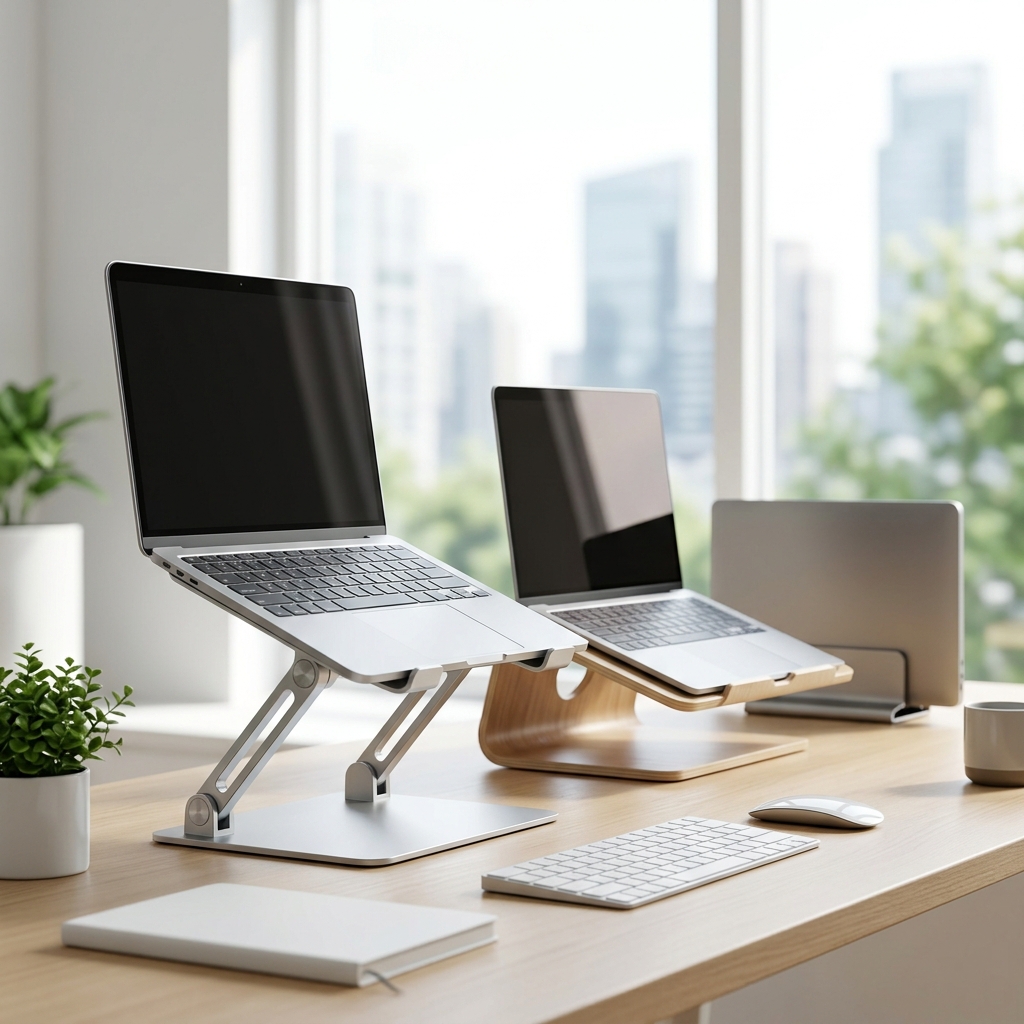
A good laptop stand elevates the screen to eye level, promoting a neutral spine and reducing strain. This improved posture can lead to increased comfort, reduced fatigue, and even boosted productivity. Furthermore, lifting the laptop off the desk improves airflow, helping to prevent overheating and potentially extending the lifespan of your device. For many, the simple act of improving their workstation with a laptop stand makes a noticeable difference to their working day.
What to Look for in a Laptop Stand (UK Buyer’s Guide)
Choosing the right laptop stand can be overwhelming. Here’s a breakdown of the key features to consider, with a focus on the UK market:
- Adjustability: Height and angle adjustments are crucial for finding the perfect ergonomic position. Look for stands that offer a good range of motion.
- Material: Aluminum is generally the most durable and premium option, offering excellent stability and heat dissipation. Plastic is more affordable but can be less stable. Wood provides a classic aesthetic but may require more care.
- Stability: A wobbly stand is counterproductive. Check reviews to ensure the stand is sturdy and won’t easily tip over, especially with larger laptops.
- Weight Capacity: Ensure the stand can comfortably support the weight of your laptop. Most stands will specify a maximum weight limit.
- Portability: If you work remotely or travel frequently, a lightweight and foldable stand is essential.
- Compatibility: Check that the stand is compatible with the size of your laptop. Some stands are designed for specific laptop sizes.
- Ventilation: Look for designs that promote airflow to prevent overheating. Some stands have open frames or include built-in cooling fans.
- UK Desk Considerations: Many UK desks are relatively compact. Consider a stand that doesn’t take up too much valuable workspace.
Top 5 Budget Laptop Stands (Under £30)
These stands offer excellent value for money, providing basic ergonomic benefits without breaking the bank.
1. AmazonBasics Laptop Stand – £20
Pros: Affordable, simple design, lightweight, decent stability.
Cons: Limited adjustability, plastic construction may feel less premium.
2. Nulaxy Laptop Stand – £28
Pros: Foldable for portability, adjustable height, good ventilation.
Cons: Can be slightly wobbly with larger laptops, plastic build.
3. Bontec Laptop Stand Adjustable – £32
Pros: Adjustable height and angle, relatively sturdy, affordable.
Cons: Construction quality could be higher, not ideal for very heavy laptops.
4. HUANUO Laptop Stand – £35
Pros: Sturdy metal construction, adjustable height & angle, good airflow.
Cons: Slightly heavier than plastic options, some users report the rubber pads can slip.
5. Simple Deluxe Laptop Stand – £25
Pros: Extremely affordable, foldable design, lightweight and portable.
Cons: Limited adjustability, less stable than heavier options.
Best Mid-Range Laptop Stands (£30 – £70)
These stands offer a better balance of features, quality, and price. They often provide more adjustability and a more durable build.
1. Rain Design mStand Laptop Stand (Aluminum) – £45
Pros: Sleek aluminum design, excellent stability, good ventilation, minimalist aesthetic.
Cons: Limited adjustability (fixed height and angle), relatively expensive for a fixed stand.
2. Kensington SmartFit Ergo Laptop Stand – £65
Pros: Highly adjustable height and angle, ergonomic design, supports a wide range of laptop sizes.
Cons: Can be a bit bulky, more expensive than basic stands.
Premium Laptop Stands: Comfort & Style (£70+)
These stands represent the pinnacle of laptop ergonomics and design. They boast premium materials, advanced features, and stylish aesthetics.
1. Ergotron LX Laptop Cooler – £90
Pros: Gas spring for smooth and precise adjustments, integrated cooling fan, extremely stable, premium build quality.
Cons: Most expensive option, cooling fan can be noisy at higher speeds.
2. LapGear Home Office Laptop Desk – £60
Pros: Provides a larger work surface, includes a wrist rest and phone holder, foldable for storage.
Cons: Less focused on pure ergonomic lift, more of a temporary workstation solution.
Laptop Stands with Cooling Features
If your laptop tends to run hot, especially during demanding tasks, a stand with cooling features can be beneficial. Active cooling stands incorporate fans, while passive cooling relies on open designs to promote airflow.
Active Cooling: Offers more effective cooling but can be noisy. The Ergotron LX Laptop Cooler is a prime example.
Passive Cooling: Silent but less effective. The Rain Design mStand provides excellent passive cooling due to its open aluminum frame.
Portable Laptop Stands for Working On-the-Go
For remote workers and travellers, portability is key. Stands like the Nulaxy Laptop Stand are lightweight, foldable, and easy to carry in a laptop bag.
Laptop Stand vs. Monitor Riser: Which is Right for You?
| Feature | Laptop Stand | Monitor Riser |
|---|---|---|
| Purpose | Elevates and supports a laptop | Elevates a monitor |
| Ergonomics | Designed to bring the laptop screen to eye level | Designed to bring the *top* of the monitor screen to eye level |
| Adjustability | Often adjustable height and angle | Typically fixed height |
| Portability | Many are foldable and portable | Generally less portable |
| Best For | Primary laptop users who want improved ergonomics. | Users who primarily use a desktop setup and need to raise a monitor. |
Frequently Asked Questions (FAQs)
Q: What laptop size is compatible with most stands?
Most stands are designed to accommodate laptops ranging from 10 to 17 inches. Always check the product specifications before purchasing.
Q: How do I clean my laptop stand?
For aluminum stands, simply wipe them down with a damp cloth. For plastic stands, you can use a mild soap and water solution. Avoid abrasive cleaners.
Q: Can a laptop stand really improve my posture?
Yes, a properly adjusted laptop stand can significantly improve your posture by bringing the screen to eye level, reducing neck and back strain.
Q: Are laptop stands difficult to assemble?
Most laptop stands require minimal assembly, often just unfolding or attaching a few screws. Instructions are usually included.
Q: Will a laptop stand overheat my laptop?
Quite the opposite! A good laptop stand will improve airflow and help prevent overheating.