
Table of Contents
The Growing Need for Home Office Cable Management
The shift towards remote and hybrid working has dramatically increased the number of home offices throughout the UK. While offering flexibility and convenience, this surge has also brought about a less welcome consequence: cable clutter. What was once a minor annoyance has become a significant problem for many, and we expect this to be even more pronounced in 2026. With more devices vying for power and connectivity – laptops, monitors, webcams, microphones, lighting, and a multitude of peripherals – the tangle of cables is only set to worsen.
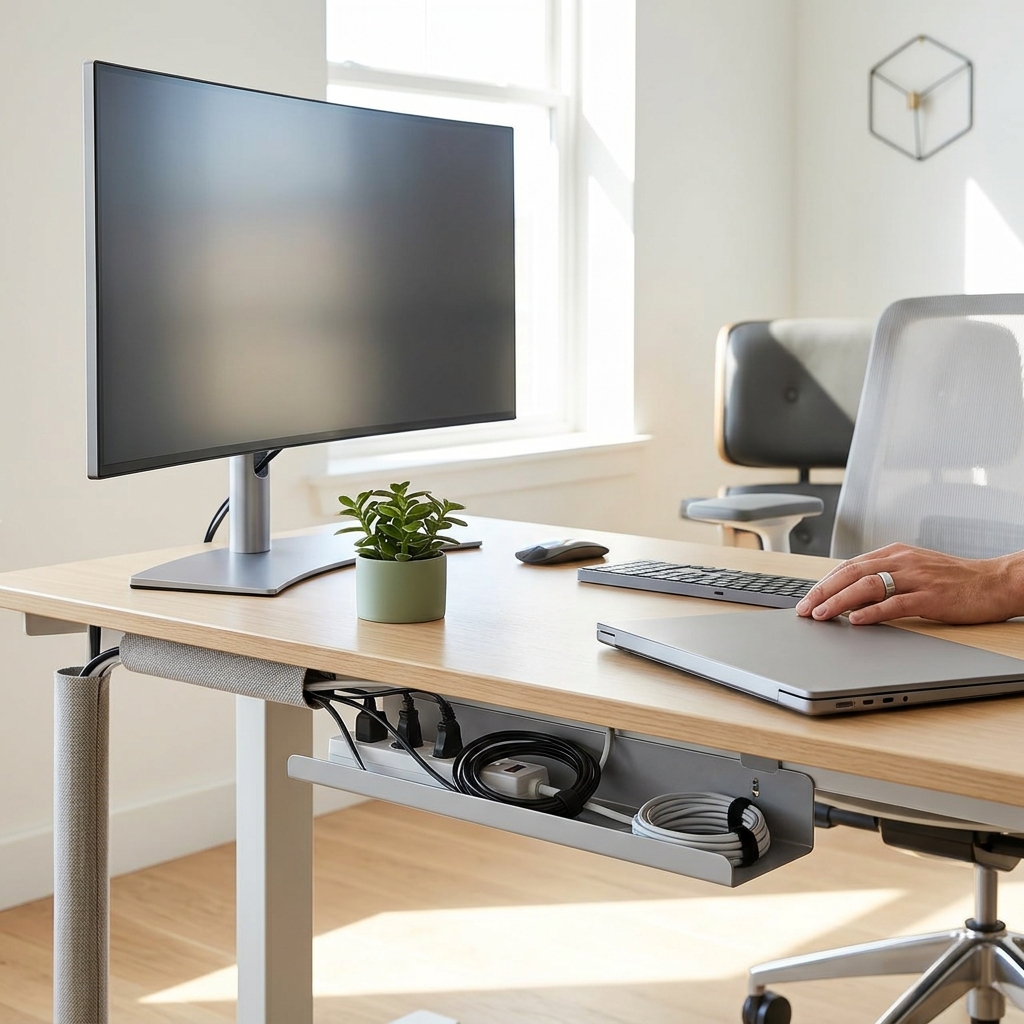
This isn’t just an aesthetic issue. Cable clutter impacts productivity, poses safety hazards (trip hazards are a real concern!), and can even contribute to stress and a feeling of being overwhelmed. In 2026, we anticipate even greater reliance on technology for collaborative work, and a clean, organised workspace will be crucial for maintaining focus and a professional image during video conferences. The trend towards multiple monitor setups and increasingly powerful devices means more cables, and therefore a greater need for effective cable management solutions.
Why Good Cable Management Matters: Benefits Beyond Aesthetics
Beyond simply looking tidier, effective cable management offers a wealth of benefits:
- Improved Productivity: A clutter-free workspace reduces distractions and allows you to focus on the task at hand.
- Reduced Trip Hazards: Loose cables are a significant safety risk, particularly in busy home offices.
- Better Airflow & Device Lifespan: Bundled cables can restrict airflow around devices, leading to overheating and potentially shortening their lifespan.
- Professional Appearance: A clean background is essential for professional video calls and client meetings.
- Mental Wellbeing: An organised space contributes to a calmer, more focused mindset, reducing stress and improving overall wellbeing. Studies show a direct correlation between a tidy workspace and increased productivity and job satisfaction.
Identifying Your Cable Management Challenges
Before diving into solutions, it’s important to assess your specific cable management needs. Consider these common problem areas:
- Desk Cables: The visible tangle of cables connecting to your computer, monitor, and peripherals.
- Behind-Desk Chaos: A hidden mess of power cables, network cables, and adapter bricks.
- Power Strip Overload: Multiple devices plugged into a single power strip, creating a potential fire hazard and a messy appearance.
- Peripheral Cables: Cables running to keyboards, mice, printers, scanners, and other devices.
- Monitor/PC Cables: The often bulky and numerous cables connecting your monitor and PC tower.
Complexity Levels:
- Simple Setup: A single computer, monitor, and a few peripherals. Requires basic cable ties and clips.
- Moderate Setup: Multiple monitors, a printer, external hard drives, and audio equipment. Needs cable sleeves, raceways, and potentially an under-desk tray.
- Extensive Setup: A high-end gaming PC, multiple high-resolution monitors, a streaming setup, and a full suite of peripherals. Demands advanced solutions like grommets, concealed cable channels, and professional installation.
Essential Cable Management Tools & Techniques (Beginner-Friendly)
These are affordable and easy-to-install solutions perfect for starting your cable management journey:
- Velcro Cable Ties (Pack of 20) – £7.99: Reusable and gentle on cables, offering a flexible and adjustable solution.
- Cable Clips Adhesive (Pack of 50) – £6.49: Stick these to surfaces to guide and secure cables neatly.
- Cable Sleeve (2m, Black) – £14.99: Wrap multiple cables in a single sleeve for a cleaner look.
Technique: Start by grouping similar cables together. Use Velcro ties to bundle them, avoiding overly tight constrictions. Adhesive cable clips can then be used to route the bundled cables along desk legs or walls. Cable sleeves are excellent for concealing longer runs of cables.
Intermediate Cable Management: Taking it to the Next Level
For more complex setups, consider these options:
- Cable Raceways (J Channel Cable Raceway (5m) – £12.99): Conceal cables along walls or under desks.
- Cable Management Box (Large) – £18.99: Hide power strips and excess cable length within a box.
- Under Desk Cable Tray (100cm) – £24.99: Mount this under your desk to keep cables off the floor and out of sight.
Considerations: Standing desks require flexible cable management solutions that can accommodate height adjustments. Corner desks necessitate strategically placed raceways and trays to manage cables around the bend. Ensure adequate ventilation within cable boxes to prevent overheating.
Advanced Cable Management: Concealing Cables for a Minimalist Look
For a truly minimalist aesthetic, these options provide a more permanent and sophisticated solution:
- Desk Grommet (Metal, 50mm) – £9.99: Drill a hole in your desk to pass cables through cleanly.
- Cable Channels Built into Desks: Some desks now come with integrated cable management channels.
- Professional Installation Services: For complex setups, consider hiring a professional to install concealed cable channels or run cables through walls.
Future Trends: Wireless power delivery is becoming increasingly common, and we expect to see more devices supporting this technology in the coming years. This will significantly reduce the need for power cables, but will require investment in wireless charging pads and hubs.
Cable Management for Specific Home Office Devices
PC Cables
Manage power cables, data cables (USB, Ethernet), and potentially liquid cooling tube routing. Consider a dedicated PSU shroud to hide cables within the PC case.
Monitors
HDMI, DisplayPort, and power cables can be managed with a Monitor Arm with Cable Management (£79.99) which keeps cables organised and hidden behind the monitor.
Peripherals (Keyboard, Mouse, Printer)
Use a Powered USB Hub with Cable Management (£39.99) to consolidate USB connections and hide excess cable length.
Audio Equipment
Route audio cables neatly using cable clips and sleeves. Consider wireless headphones and speakers to reduce cable clutter.
Charging Cables
Dedicated charging stations with built-in cable management are available. Short, high-quality charging cables are also a good investment.
Future-Proofing Your Cable Management (2026 & Beyond)
As technology evolves, your cable management system needs to adapt. Here’s how to prepare for the future:
- USB-C Dominance: USB-C is becoming the standard for data transfer and power delivery. Ensure your cable management solutions can accommodate the larger connectors and increased power requirements.
- Faster Charging Standards: Expect to see even faster charging standards emerge, requiring thicker and more robust charging cables.
- Smart Home Integration: As more devices connect to your smart home network, you’ll need to manage the associated cabling (Ethernet, power).
- Modular Systems: Choose cable management solutions that are modular and adaptable, allowing you to easily add or remove components as your needs change.
UK Retailers and Where to Buy Cable Management Solutions
You can find a wide range of cable management products at the following UK retailers:
- Amazon UK – Extensive selection and competitive prices.
- Argos – Convenient for quick purchases and Click & Collect.
- Currys – Wide range of electronics and accessories, including cable management solutions.
- IKEA – Affordable and stylish cable management options.
- Maplin – *Note: Maplin has undergone changes. Check their current online presence for availability.* Historically a good source for electronics and cabling components.
FAQ
What’s the best way to deal with a huge mess of existing cables?
Start by unplugging everything! Then, sort the cables by type and purpose. Use Velcro ties to bundle similar cables together and then systematically route them using cable clips, sleeves, or raceways.
Are plastic cable ties okay, or should I always use Velcro?
Plastic cable ties are cheap, but they can damage cables if tightened too much and are difficult to remove. Velcro ties are more flexible and reusable, making them the better long-term option.
How can I hide cables without drilling holes in my desk?
Cable raceways, cable boxes, and under-desk cable trays are excellent alternatives to drilling. You can also use adhesive cable clips to route cables neatly along the edges of your desk.
What about the cost of all this? Is it expensive?
Cable management doesn’t have to be expensive. Basic solutions like Velcro ties and cable clips are very affordable. More advanced options like cable raceways and under-desk trays will cost more, but the investment is worth it for a more organised and productive workspace. A starting budget of £50-£100 can make a significant difference.
Will I need to revisit my cable management setup often?
Yes, it’s not a “set it and forget it” solution. As you add or remove devices, you’ll need to adjust your cable management system accordingly. Regular maintenance (e.g., re-bundling cables, dusting cable boxes) will keep your workspace looking its best.