
The world of work has undergone a significant transformation, and by 2026, remote and hybrid models are predicted to be the norm for a substantial portion of the UK workforce. This shift necessitates a dedicated and well-equipped home office to maintain productivity, safeguard well-being, and achieve a healthy work-life balance. We’re seeing increased integration of AI tools, and a greater emphasis on adaptable workspaces. This guide will walk you through every aspect of creating the perfect home office, tailored for the evolving landscape of 2026.
As an Amazon Associate, we earn from qualifying purchases. This means we may receive a small commission at no extra cost to you when you buy through links on this page.
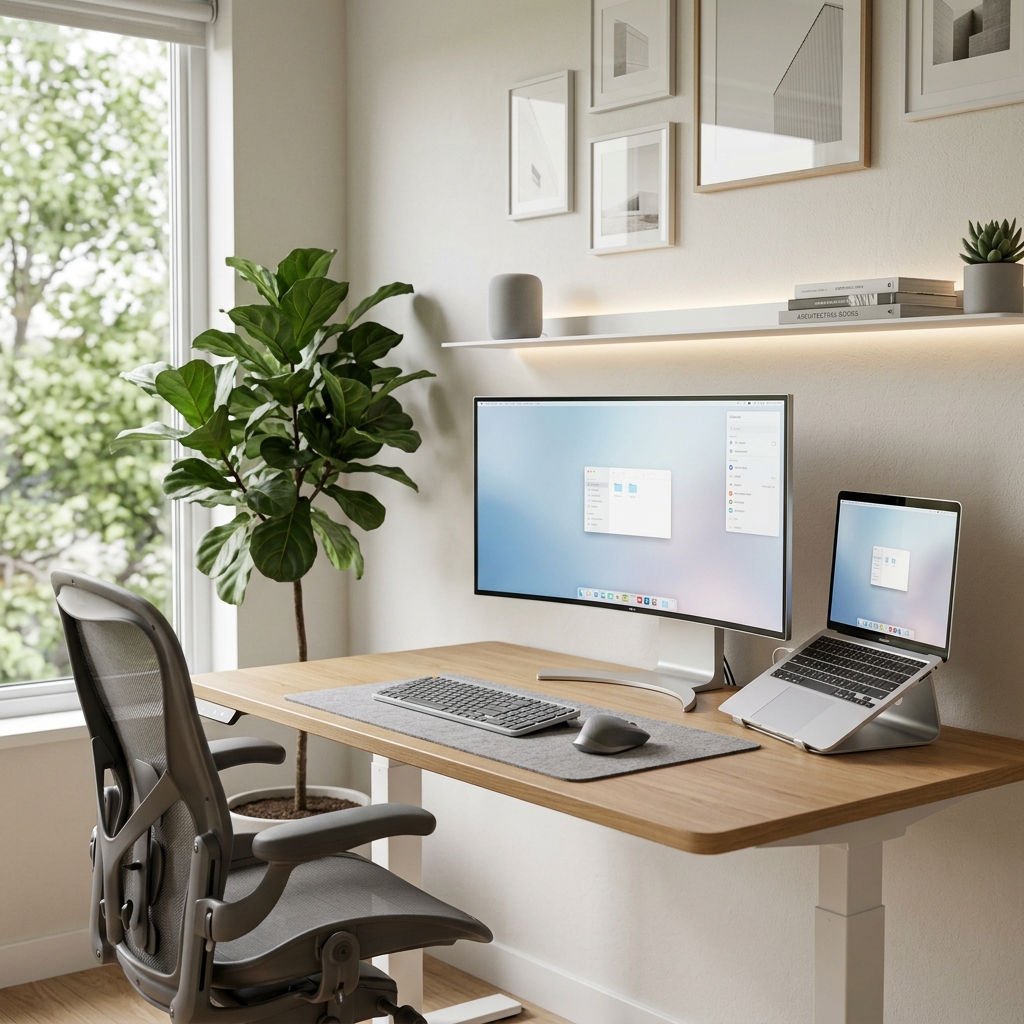
Table of Contents
Choosing Your Home Office Space
The foundation of a successful home office is the space itself. Consider these factors carefully:
Factors to Consider
- Noise Levels: Minimise disruption. A quiet room is ideal, but if not possible, consider noise-cancelling headphones (see section on Essential Equipment).
- Natural Light: Exposure to daylight boosts mood and reduces eye strain. Position your desk near a window if feasible.
- Distractions: Identify potential interruptions (family, pets, household chores) and mitigate them.
- Space Availability: A dedicated room is preferable, but a corner of a less-used space can work. Think vertically with shelving.
Dedicated Room vs. Corner Setup
A dedicated room allows for complete separation between work and personal life. A corner setup requires more discipline and clever organisation. If opting for a corner, clearly define the workspace with a rug or screen.
Quick Wins for Optimising Existing Spaces
- Declutter! A minimalist approach reduces stress and improves focus.
- Repurpose furniture. A dining table can temporarily serve as a desk.
- Utilise wall space for shelving and storage.
Impact of Smart Home Integration
In 2026, smart home technology will be integral. Smart lighting adjusts to your needs, smart thermostats maintain optimal temperature, and voice assistants can manage tasks. Consider a smart plug to control a desk lamp remotely.
Ergonomics: Setting Up for Comfort and Health
Ergonomics is crucial for preventing long-term health issues. Investing in ergonomic furniture and adopting good posture is paramount.
Ergonomic Principles
- Chair Adjustments: Ensure your chair provides adequate lumbar support, adjustable armrests, and seat height. The Herman Miller Aeron Chair (£1500) is a premium, highly adjustable option.
- Desk Height: Your elbows should be at a 90-degree angle when typing. Consider a standing desk converter (FlexiSpot – £200) for alternating between sitting and standing.
- Monitor Placement: The top of the monitor should be at or slightly below eye level, an arm’s length away. An Ergotron LX Desk Mount LCD Arm (£250) allows for precise positioning.
- Keyboard and Mouse Positioning: Keep your wrists straight and relaxed. The Logitech MX Master 3S Wireless Mouse (£99) promotes a natural hand position.
Importance of Regular Breaks and Movement
Get up and move every 30-60 minutes. Stretch, walk around, or do simple exercises. Set reminders to avoid prolonged static postures.
Addressing Common Pain Points
- Back Pain: Invest in a supportive chair and maintain good posture.
- Eye Strain: Use a monitor with eye-care technology (BenQ Eye-Care Monitor – £300), adjust brightness and contrast, and follow the 20-20-20 rule (every 20 minutes, look at something 20 feet away for 20 seconds).
Essential Home Office Equipment (2026)
Technology is continuously evolving. Here’s a breakdown of essential equipment for 2026:
Must-Have Items
- Computer/Laptop: Choose a device that meets your workload requirements.
- Monitor(s): Dual monitors boost productivity.
- Keyboard & Mouse: Ergonomic models are essential.
- Printer/Scanner: The Brother MFC-L2750DW All-in-One Printer (£200) is a reliable choice.
- Webcam: For video conferencing.
- Headset: Noise-cancelling headphones (Sony WH-1000XM6 – £350) are crucial for clear communication and focus.
Future Tech
AI-powered noise cancellation is becoming increasingly sophisticated, filtering out background noise during calls. Expect more integrated smart office devices.
Budget vs. Premium
| Item | Budget Option (£) | Premium Option (£) |
|---|---|---|
| Chair | 100-200 (Hbada Mesh Office Chair with Lumbar Support – £150) | 1000+ (Herman Miller Aeron Chair – £1500) |
| Monitor | 150-200 | 300+ (BenQ Eye-Care Monitor – £300) |
| Headset | 50-100 | 300+ (Sony WH-1000XM6 – £350) |
Connectivity & Tech: Staying Connected and Secure
Reliable connectivity is non-negotiable.
Reliable Internet Connection
Fibre optic broadband is highly recommended for consistent speeds and low latency. Check availability with providers like BT, Virgin Media, and TalkTalk.
Wi-Fi Setup & Security
Ensure your Wi-Fi network is secure with a strong password and up-to-date encryption (WPA3). Consider a mesh Wi-Fi system for larger homes.
Cloud Storage Solutions
Utilise cloud storage (Google Drive, Dropbox, OneDrive) for file backup and accessibility.
Video Conferencing Tools & Best Practices
Zoom, Microsoft Teams, and Google Meet are popular choices. Ensure good lighting and a tidy background for professional calls.
Cybersecurity Considerations
Use strong passwords, enable two-factor authentication, and be wary of phishing scams.
Home Office Lighting: Boosting Productivity & Reducing Eye Strain
Good lighting is essential for both productivity and well-being.
Importance of Natural Light
Maximise natural light whenever possible.
Types of Artificial Lighting
- LED Desk Lamps: Provide focused task lighting.
- Ambient Lighting: Creates a comfortable atmosphere.
Colour Temperature Considerations
Cool white light (5000-6500K) is best for focus, while warm white light (2700-3000K) is more relaxing.
Minimising Glare and Shadows
Position your monitor to avoid glare from windows or lights. Use a lampshade to diffuse light.
Organisation & Storage: Keeping Your Workspace Tidy
A clutter-free workspace promotes focus and reduces stress.
Desk Organisation Tips
- Use desk organisers for pens, paperclips, and other small items.
- Keep only essential items on your desk.
Filing Systems
Implement both physical and digital filing systems.
Shelving & Storage Solutions
Utilise shelving to maximise vertical space.
Cable Management
Use cable ties, sleeves, and boxes to keep cables tidy and out of sight.
Personalising Your Home Office Space
Make your office a space you enjoy being in.
Adding Plants, Artwork & Personal Touches
Plants improve air quality and add a touch of nature. Artwork and personal photos create a motivating environment.
Colour Psychology
Blue and green promote calmness and focus, while yellow stimulates creativity.
Budgeting for Your Home Office: Costs to Consider
Here’s a breakdown of potential costs:
- Furniture: £200 – £2000+
- Equipment: £500 – £1500+
- Software: £0 – £200+ (depending on requirements)
- Utilities: Increased electricity and internet costs.
Tips for Saving Money
- Shop around for deals.
- Consider buying used furniture.
- Utilise free software alternatives.
Tax Implications (UK Specific)
You may be able to claim tax relief on certain home office expenses. Consult HMRC guidelines or a tax advisor.
Future-Proofing Your Home Office (Looking Ahead to 2026 & Beyond)
Technology will continue to advance.
Anticipating Future Tech Trends
- VR/AR Integration: Virtual and augmented reality may become more common for collaborative work.
- Smart Office Automation: Increased automation of tasks.
Adapting to Evolving Work Styles
Be prepared to adjust your setup as your work needs change.
Investing in Scalable Solutions
Choose furniture and equipment that can adapt to different configurations.
Our Top Pick
For the best overall home office experience, we recommend a combination of the Herman Miller Aeron Chair (£1500) for ultimate comfort and ergonomics, the BenQ Eye-Care Monitor (£300) to reduce eye strain, and the Sony WH-1000XM6 Noise Cancelling Headphones (£350) for focused work. While a significant investment, these items will contribute to your long-term health and productivity.
FAQ
Q: How much space do I need for a home office?
A: It depends on your needs, but even a small corner can be effective with clever organisation. Aim for at least a 1.5m x 1.5m space if possible.
Q: What’s the best type of internet for working from home?
A: Fibre optic broadband is the most reliable and fastest option.
Q: Can I claim tax relief on my home office expenses?
A: Yes, you may be able to claim tax relief. Consult HMRC guidelines or a tax advisor for specific advice.
Q: How important is an ergonomic chair?
A: Extremely important! A good ergonomic chair can prevent back pain and other health issues.
Q: What about lighting? Is natural light enough?
A: Natural light is excellent, but supplemental artificial lighting is often necessary, especially during darker months. Ensure you have adequate task lighting and ambient lighting.