
Disclaimer: This article contains affiliate links, meaning I may earn a small commission if you purchase through them, at no extra cost to you. This helps support the blog and allows me to continue providing honest, detailed reviews. All opinions expressed here are my own, based on thorough research and – where possible – personal experience. Pricing is accurate as of October 26, 2023, but may vary.
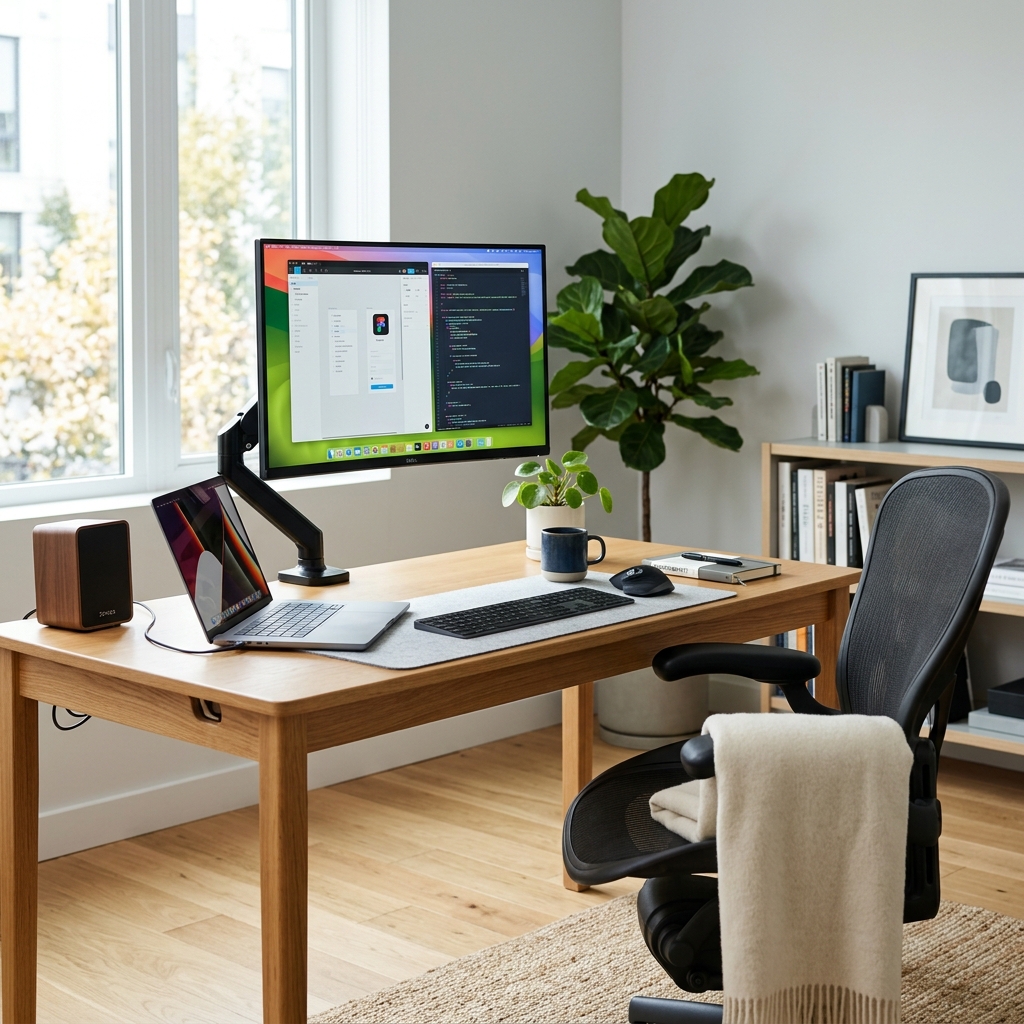
Complete Home Office Setup Guide on a Budget – 2024 Review
With more and more of us working from home, whether full-time or hybrid, having a dedicated and functional home office is no longer a luxury, but a necessity. However, kitting out a proper workspace doesn’t have to break the bank. This guide is designed to help you create a productive and comfortable home office, even on a tight budget. We’ll look at each essential component – desk, chair, monitor, keyboard, mouse, and accessories – breaking down options and offering recommendations within various price points, all with UK pricing in mind. Forget expensive executive suites; we’re aiming for functional, efficient, and comfortable for the long haul.
Table of Contents
Choosing the Right Desk: Stability and Space
Your desk is the centre of your operation. While a repurposed dining table *can* work temporarily, a proper desk designed for office use will make a huge difference. Consider your available space and the type of work you do. Do you need a large surface for multiple monitors and paperwork, or will a more compact desk suffice?
- Under £100: IKEA Linnmon/Alex combination (£60-£80). This is a classic for a reason. The Linnmon tabletop is simple and affordable, and you can pair it with Alex drawers for storage. The stability is decent, although heavier loads benefit from extra bracing.
- £100 – £200: Argos Home Nova Computer Desk (£130-£160). A good mid-range option, offering a larger surface area and often including cable management features. More robust than the Linnmon, but still relatively straightforward to assemble.
- £200 – £300: VASAGLE Computer Desk with Drawers (£200-£250). This gets you into more premium territory with solid construction, often utilising engineered wood and metal frames. Features like built-in shelves and drawers are common.
Tip: Look for desks with cable management solutions – holes or trays – to keep things tidy and prevent unsightly tangled wires. A standing desk converter can also be a worthwhile investment later on if you fancy mixing up your posture.
The All-Important Office Chair: Comfort and Ergonomics
You’ll be spending hours in your office chair, so don’t skimp! A comfortable and ergonomic chair is vital for your health and productivity. Look for adjustable features like height, backrest, and armrests.
- Under £100: Amazon Basics Mid-Back Mesh Office Chair (£70-£90). A basic but surprisingly comfortable option, particularly for shorter periods of use. The mesh back helps with breathability. Don’t expect a lot of adjustability.
- £100 – £200: Vinsetto Ergonomic Office Chair (£120-£180). A step up in terms of features and comfort, offering adjustable lumbar support and armrests. A popular choice for those spending a good portion of their day seated.
- £200 – £300: Hbada Ergonomic Office Chair (£220-£280). Hbada chairs frequently get good reviews for offering a great balance of features and price. They often include advanced lumbar support and are designed for prolonged use.
Tip: Pay attention to the weight capacity of the chair. Ensure it’s suitable for your weight. Consider a chair with a headrest if you frequently find yourself leaning back or taking calls.
Monitor Matters: Size, Resolution, and Your Eyes
A good monitor is crucial for reducing eye strain and improving productivity. While ultra-wide and curved monitors are tempting, they’re often outside of a tight budget. Focus on finding a monitor with a decent resolution (at least 1920×1080, ideally 2560×1440) and a refresh rate of 60Hz or higher.
- Under £150: AOC 24B2XH (£100-£130). A solid 24-inch monitor with a Full HD resolution. Good colour accuracy for everyday tasks.
- £150 – £250: BenQ GW2480T (£180-£230). A 24-inch monitor with built-in blue light filter and flicker-free technology, designed to reduce eye strain. Offers good value for its features.
- £250 – £350: LG 27UP850-W (£270-£330). A 27-inch 4K monitor. The increased resolution makes a noticeable difference in image clarity, especially for detailed work. Excellent colour reproduction.
Tip: Consider a monitor arm to free up desk space and adjust the monitor’s height and angle for optimal ergonomics. Blue light filters are particularly useful if you work late into the evening.
Input Devices: Keyboard and Mouse
Don’t underestimate the impact of a comfortable keyboard and mouse. Choosing the right ones can significantly improve your efficiency and prevent strain.
- Keyboard (Under £50): Logitech K120 (£20-£30). A simple, reliable, and affordable keyboard. It’s not fancy, but it gets the job done.
- Keyboard (£50 – £100): Microsoft Ergonomic Keyboard (£60-£80). A split keyboard design that promotes a more natural hand position, reducing strain.
- Mouse (Under £30): Logitech M100 (£10-£20). A basic wired mouse that’s comfortable and dependable.
- Mouse (£30 – £60): Logitech MX Master 2S (On sale frequently – £50-£60). A premium ergonomic mouse with customizable buttons and excellent tracking. Worth the investment if you spend a lot of time mousing.
Tip: If you experience wrist pain, consider an ergonomic mouse or keyboard with wrist support. Wireless options offer more flexibility, but require regular charging or battery replacements.
Essential Accessories: The Finishing Touches
These smaller items can make a big difference to your overall workspace experience.
- Headset/Microphone (£30-£80): Logitech H390 USB Computer Headset (£30-£40). Essential for video conferencing and calls.
- Webcam (£30-£70): Logitech C920s HD Pro Webcam (£60-£70). Provides a clear and sharp image for video calls.
- Desk Lamp (£20-£50): IKEA Tertial Work Lamp (£25-£30). Adjustable and provides good task lighting.
- Cable Management (£10-£20): Cable ties, sleeves, and boxes to keep your cables organized.
- Footrest (£20-£40): Improves posture and reduces leg fatigue.
Pros and Cons of a Budget Home Office Setup
Let’s be realistic. Going for the cheapest options does have its drawbacks, but also significant benefits.
- Pros:
- Cost-Effective: Saves you a considerable amount of money compared to high-end setups.
- Sufficient for Basic Tasks: Perfectly functional for routine office tasks like email, word processing, and web browsing.
- Easy to Upgrade: You can always upgrade individual components later as your needs evolve and your budget allows.
- Cons:
- Durability: Budget items may not be as durable as more expensive alternatives.
- Ergonomics: Adjustability may be limited, potentially leading to discomfort during extended use.
- Features: May lack advanced features found in higher-end models.
Conclusion: Building Your Ideal Budget Workspace
Creating a productive home office on a budget is entirely achievable. Don’t feel pressured to spend a fortune on flashy equipment. Prioritize comfort and ergonomics, starting with a decent chair and monitor. The IKEA Linnmon/Alex combination is a fantastic base for a desk, and a Logitech keyboard and mouse offer excellent value for money. Remember to factor in essential accessories like a headset and good lighting.
Buying Advice: If you’re just starting out, aim to spend around £500-£700 to get a functional and comfortable setup. Focus on the chair and monitor first, then build from there. Keep an eye out for sales and discounts – retailers like Argos, Amazon, and IKEA frequently offer deals. Don’t be afraid to consider refurbished or used items to save even more money. The key is to create a workspace that works *for you* and helps you stay productive and comfortable, without emptying your wallet.