
Table of Contents
As an Amazon Associate, we earn from qualifying purchases. This means we may receive a small commission at no extra cost to you when you buy through links on this page.
Introduction: The Rise of Standing Desks
The modern workplace, and increasingly the home office, is undergoing a transformation. In 2026, we’re seeing a significant shift towards prioritising employee wellbeing and ergonomic setups, and standing desks are at the forefront of this movement. Driven by growing awareness of the negative health impacts of prolonged sitting, standing desks are no longer a niche trend, but a mainstream solution for a healthier and more productive work life. This guide will walk you through everything you need to know to choose the perfect standing desk for your needs.
Why Choose a Standing Desk?
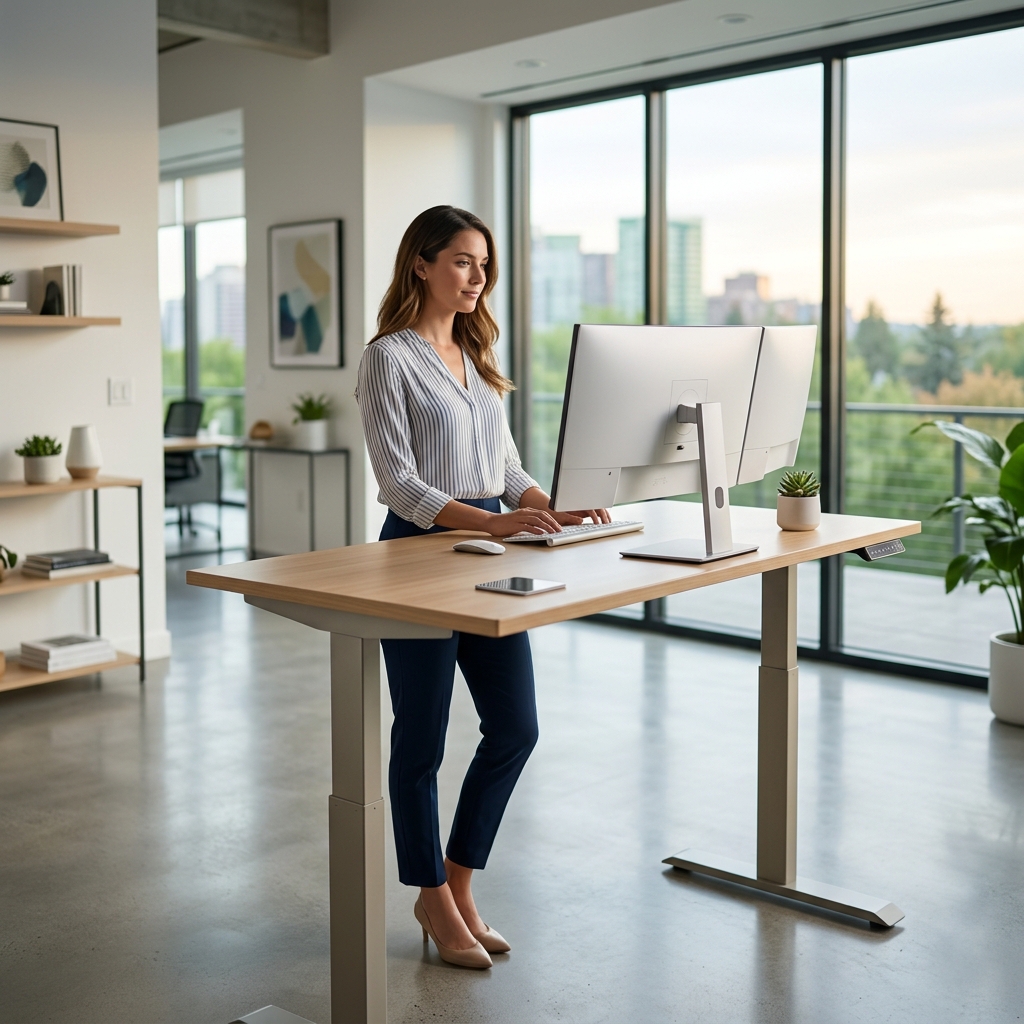
The benefits of incorporating standing into your workday are well-documented. Recent studies from the British Health and Safety Executive (2026 data) show a direct correlation between prolonged sitting and increased risk of musculoskeletal disorders, cardiovascular disease, and even mental health issues. Standing desks offer a powerful countermeasure.
- Improved Posture: Standing encourages a more natural spinal alignment.
- Reduced Back Pain: By alleviating pressure on the spinal discs, standing can significantly reduce lower back pain, a common complaint amongst office workers.
- Increased Energy Levels: Standing promotes better circulation and can combat the afternoon slump.
- Potential for Increased Productivity: Studies suggest that some individuals experience improved focus and cognitive function when standing.
- Reduced Risk of Chronic Diseases: Combats the health risks associated with sedentary lifestyles.
Types of Standing Desks: Finding the Right Fit
Choosing the right type of standing desk is crucial. Here’s a breakdown of the options:
Fixed-Height Standing Desks
These desks are set at a single height, ideal for those who know their optimal standing height and don’t anticipate needing to switch positions. They are typically the most affordable option.
Pros
- Most Affordable
- Simple and Robust
Cons
- No Adjustability
- Not Suitable for Shared Workspaces
Adjustable Standing Desks
These desks allow you to change the height, enabling you to switch between sitting and standing throughout the day. They come in two main varieties:
Electric Adjustable Desks
Using a motor to adjust the height, these desks offer convenience and precision. They usually have programmable height presets.
Pros
- Easy Height Adjustment
- Programmable Presets
- Smooth and Quiet Operation
Cons
- More Expensive
- Requires Power Outlet
- Potential for Motor Failure
Manual Adjustable Desks
These desks use a hand crank or lever system to adjust the height. They are a more budget-friendly alternative to electric models.
Pros
- More Affordable than Electric
- No Power Required
- Reliable (Fewer Moving Parts)
Cons
- Slower and More Effortful to Adjust
- May Not Be Suitable for Frequent Adjustments
Converter Desks
These sit on top of your existing desk, transforming it into a standing workstation. A good option if you’re not ready to replace your current desk.
Pros
- Affordable
- Easy to Install
- Doesn’t Require Replacing Your Existing Desk
Cons
- Can Be Less Stable
- Reduces Desk Space
- May Not Offer the Same Height Range as Full Standing Desks
Desk Risers
Similar to converters, but smaller and designed to hold just your monitor and keyboard. A minimalist and space-saving option.
Key Features to Consider in 2026
- Height Adjustability Range: Ensure the desk can adjust to your optimal standing height – typically between 105cm and 125cm for most adults.
- Weight Capacity: Consider the weight of your monitor(s), laptop, and other accessories.
- Desk Surface Size: Choose a size that provides ample space for your work needs.
- Stability: A stable desk is essential to prevent wobbling, especially at higher heights.
- Cable Management: Look for features like cable trays or grommets to keep your workspace tidy.
- Integrated Technology: In 2026, some desks feature anti-fatigue mats with pressure sensors that provide feedback on your standing posture, or even posture reminder apps integrated with the desk’s control system.
Budget Breakdown: How Much Should You Spend?
The cost of a standing desk can vary significantly. Here’s a rough guide (prices as of late 2026):
- Desk Risers: £80 – £150
- Converter Desks: £150 – £400
- Manual Adjustable Desks: £250 – £500
- Electric Adjustable Desks: £400 – £800+
Remember, investing in a higher-quality desk with better adjustability and stability can pay off in the long run by preventing discomfort and promoting better health.
Essential Accessories for Your Standing Desk Setup
- Anti-Fatigue Mat (£40 – £100): Essential for reducing strain on your feet and legs. The Amazon Basics Premium Anti-Fatigue Mat (£59) is a popular choice.
- Monitor Arm (£150 – £300): Allows you to position your monitor at the correct height and distance for optimal ergonomics. The Ergotron LX Desk Mount LCD Arm (£279) is highly regarded.
- Keyboard Tray (£50 – £150): Can improve wrist posture.
- Ergonomic Chair (£150 – £500+): For when you need to sit.
- Footrest (£30 – £70): Provides support for your feet.
- Cable Management Solutions (£20 – £50): Keep your workspace organised.
Measuring & Ergonomics: Setting Up Your Desk Correctly
Proper setup is critical. Current (2026) ergonomic guidelines recommend:
- Desk Height: When standing, your elbows should be bent at 90 degrees, with your forearms parallel to the floor.
- Monitor Placement: The top of your monitor should be at or slightly below eye level.
- Keyboard/Mouse Positioning: Keep your keyboard and mouse close to your body, with your wrists straight.
- Posture: Maintain a neutral spine, with your shoulders relaxed and your core engaged.
Top Standing Desk Brands in the UK (2026)
| Brand | Price Range (approx.) | Key Features |
|---|---|---|
| FlexiSpot | £300 – £700 | Wide range of electric and manual desks, good value for money. The FlexiSpot Electric Standing Desk (Pro Series) – £499 is a bestseller. |
| Autonomous | £400 – £600 | Stylish designs, integrated technology. The Autonomous SmartDesk 2 Home – £549 offers good features. |
| Branch | £350 – £550 | Focus on sustainability and durability. The Branch Standing Desk – £429 is well-reviewed. |
| VariDesk | £300 – £600 | Popular converter desks and full standing desks. The VariDesk Pro Plus 36 – £349 is a great converter option. |
| Active Workspace | £600 – £900 | Premium quality, focus on ergonomics. The Active Workspace Momentum 48 – £699 is a top-end choice. |
Standing Desk vs. Sit-Stand Desk: What’s the Difference?
A standing desk is designed primarily for standing work. A sit-stand desk (also known as an adjustable desk) allows you to easily switch between sitting and standing positions. Sit-stand desks offer the most flexibility and are generally recommended, as they allow you to vary your posture throughout the day, reducing fatigue and promoting overall wellbeing.
Making the Transition: Tips for Standing More
- Start Slowly: Begin by standing for just 30-60 minutes per day, gradually increasing the duration over time.
- Listen to Your Body: If you experience discomfort, sit down and rest.
- Vary Your Position: Shift your weight from one foot to the other and take short walking breaks.
- Use an Anti-Fatigue Mat: This will significantly reduce strain on your feet and legs.
- Stay Hydrated: Drinking plenty of water can help prevent fatigue.
Conclusion: Investing in Your Wellbeing
Choosing the right standing desk is an investment in your health and wellbeing. By carefully considering your needs, budget, and the features discussed in this guide, you can create a workspace that supports a more active, productive, and comfortable work life. In 2026, with the growing emphasis on ergonomic working, a standing desk is no longer a luxury, but a smart and sensible choice for anyone looking to prioritise their health and performance.
Frequently Asked Questions
Q: How high should my standing desk be?
Typically, the desk height should be adjusted so your elbows are bent at a 90-degree angle when typing, with your forearms parallel to the floor. This usually falls between 105cm and 125cm, depending on your height.
Q: Is it bad to stand all day?
Yes. Prolonged standing can also cause fatigue and discomfort. The key is to alternate between sitting and standing throughout the day. A sit-stand desk is the best option for this.
Q: Do I need an ergonomic chair with a standing desk?
Absolutely. An ergonomic chair is essential for providing support when you need to sit. Choose a chair with adjustable height, lumbar support, and armrests.
Q: What’s the best way to transition to a standing desk?
Start slowly! Begin with short periods of standing (30-60 minutes per day) and gradually increase the duration as you get more comfortable. Listen to your body and take breaks when needed.
Q: Are standing desks suitable for everyone?
While standing desks offer numerous benefits, they may not be suitable for everyone. Individuals with certain medical conditions should consult with a healthcare professional before using a standing desk.