
Table of Contents
What is an Ergonomic Mouse & Why Do You Need One?
In today’s digital world, many of us spend hours each day using a computer mouse. While seemingly innocuous, prolonged use of a standard mouse can contribute to Repetitive Strain Injury (RSI), carpal tunnel syndrome, and general wrist and hand discomfort. These conditions arise from unnatural wrist and hand positions, leading to inflammation and nerve compression. An ergonomic mouse is specifically designed to mitigate these risks.
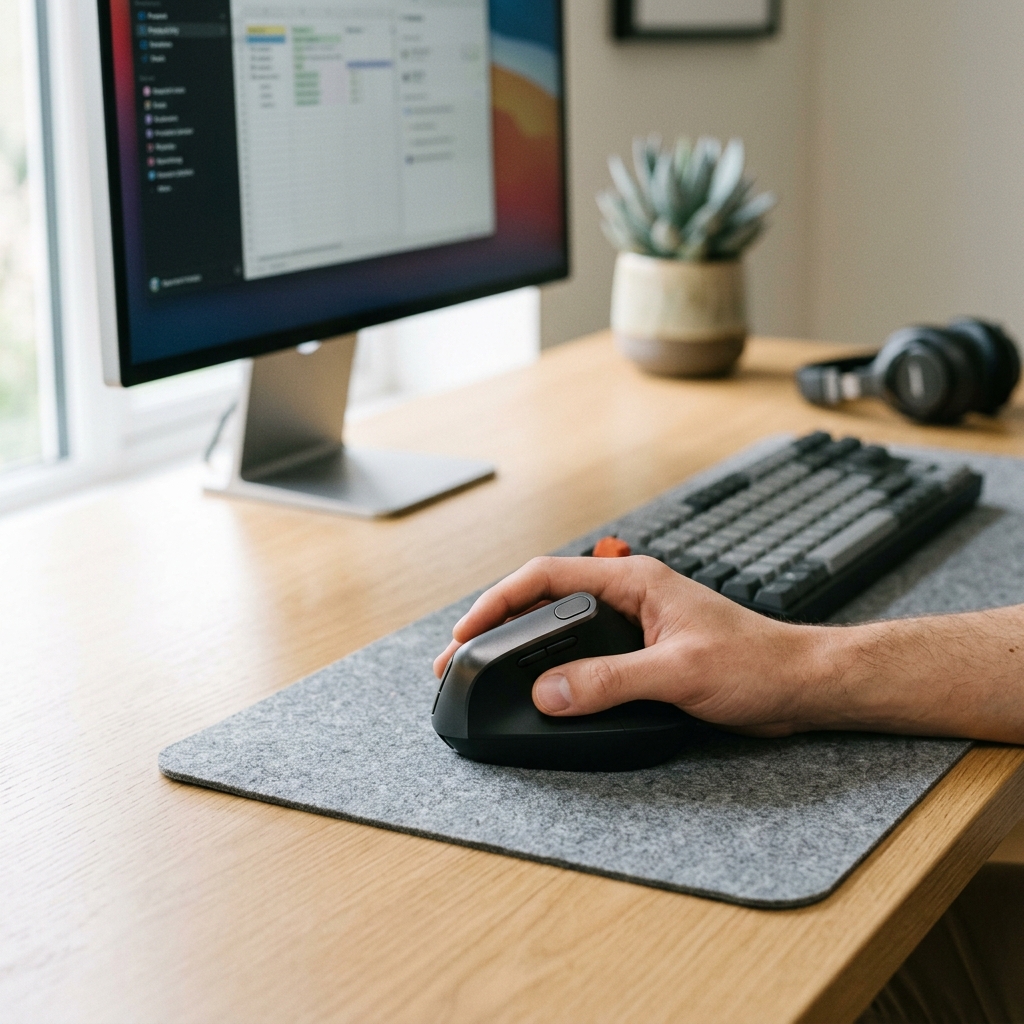
Ergonomic mice promote a more natural hand and wrist posture, reducing strain and improving comfort. This translates to increased productivity and, crucially, prevention of long-term health problems. They can also improve posture as you aren’t contorting your body to reach the mouse, and better comfort means you’re less distracted by pain.
Common causes of wrist pain from regular mouse use include pronation (rotating your forearm so your palm faces down), ulnar deviation (bending your wrist sideways), and extension (bending your wrist upwards). An ergonomic mouse aims to minimise these movements.
Types of Ergonomic Mice: Which is Right for You?
There’s a diverse range of ergonomic mice available, each with its own strengths and weaknesses. Here’s a breakdown:
Vertical Mice
Vertical mice position your hand in a handshake-like position, reducing pronation. They’re excellent for RSI sufferers and those wanting to prevent wrist strain.
- Pros: Significantly reduces wrist pronation, comfortable for many users, promotes natural hand posture.
- Cons: Can take some getting used to, may not suit all grip styles, some models can be bulky.
- Best suited for: Individuals with RSI, carpal tunnel syndrome, or those looking for preventative measures.
Trackball Mice
Trackball mice use a ball that you manipulate with your thumb or fingers to control the cursor, minimising hand and wrist movement.
- Pros: Requires minimal desk space, reduces strain on the wrist and forearm, precise control for some users.
- Cons: Steeper learning curve, can be less intuitive than traditional mice, thumb-operated models may cause thumb fatigue.
- Best suited for: Users with limited desk space, those seeking a different control method, individuals with severe RSI.
Sculpted/Contoured Mice
These mice are shaped to fit the natural curvature of the hand, providing support and reducing strain.
- Pros: Comfortable for many hand sizes, promotes a more relaxed grip, often more affordable than vertical or trackball mice.
- Cons: May not significantly reduce pronation, effectiveness depends on hand size and grip style.
- Best suited for: Users looking for a subtle improvement in comfort, those unsure about trying vertical or trackball mice.
Ambidextrous Ergonomic Mice
Designed for both left- and right-handed users, these often feature a symmetrical shape and configurable buttons.
- Pros: Versatile for mixed-handed users, good for shared workspaces.
- Cons: May not offer the same level of ergonomic support as dedicated left- or right-handed models.
- Best suited for: Left-handed users, users who switch hands, shared workspaces.
Top 5 Vertical Ergonomic Mice (UK 2026)
| Mouse | Price (GBP) | Hand Size | Connectivity | DPI | Pros | Cons |
|---|---|---|---|---|---|---|
| Logitech MX Vertical Advanced Wireless Mouse | £119.99 | Medium-Large | Wireless | 16,000 | Excellent comfort, highly customisable, long battery life. | Expensive, steep learning curve for some. |
| Evoluent VerticalMouse 6 | £139.99 | Small-Large (various sizes) | Wired | 4,000 | Highly adjustable, excellent build quality, precise tracking. | Wired only, relatively expensive. |
| Anker Vertical Ergonomic Optical Mouse | £29.99 | Small-Medium | Wireless | 1,600 | Affordable, comfortable for smaller hands, simple to use. | Lower DPI, basic features. |
| Jelly Comb Vertical Wireless Mouse | £24.99 | Small-Medium | Wireless | 1,600 | Very affordable, wireless convenience. | Build quality isn’t premium, limited features. |
| Perixx PERIMICE-719 | £49.99 | Medium | Wired | 3,200 | Good value for money, comfortable grip, adjustable DPI. | Wired only, may not suit larger hands. |
Top 5 Trackball Ergonomic Mice (UK 2026)
| Mouse | Price (GBP) | Trackball Type | Connectivity | DPI | Pros | Cons |
|---|---|---|---|---|---|---|
| Kensington Expert Mouse Wireless Trackball | £89.99 | Thumb-Operated | Wireless | 2,000 | Excellent tracking, comfortable thumb control, adjustable buttons. | Can be expensive, takes practice. |
| Logitech ERGO M575 Wireless Trackball Mouse | £59.99 | Thumb-Operated | Wireless | 2,000 | Affordable, comfortable, precise tracking. | Thumb operation can cause fatigue for some. |
| Elecom HUGE Trackball | £79.99 | Finger-Operated | Wired | 3,200 | Large ball, precise control, durable. | Wired only, takes significant getting used to. |
| Adesso Easy Cat Trackball | £39.99 | Thumb-Operated | Wired | 1,000 | Affordable, simple to use. | Basic features, lower DPI. |
| Sanwa Supply Trackball Mouse | £69.99 | Thumb-Operated | Wireless | 1,200 | Good build quality, comfortable design. | Lower DPI. |
Top 5 Sculpted/Contoured Ergonomic Mice (UK 2026)
| Mouse | Price (GBP) | Grip Style | Connectivity | DPI | Pros | Cons |
|---|---|---|---|---|---|---|
| Microsoft Sculpt Ergonomic Mouse | £34.99 | Palm & Claw | Wireless | 1,000 | Affordable, comfortable, Windows integration. | Lower DPI, basic features. |
| 3M Ergonomic Mouse | £49.99 | Palm | Wired | 1,200 | Unique vertical design, comfortable palm support. | Wired only, lower DPI. |
| Logitech Lift Vertical Ergonomic Mouse | £69.99 | Palm & Claw | Wireless | 4,000 | Comfortable, great for smaller hands, USB receiver. | More expensive. |
| Fellowes Hyllis Ergonomic Mouse | £29.99 | Palm | Wired | 1,000 | Affordable, comfortable for palm grip. | Wired only, basic features. |
| Goldtouch LoPro Ergonomic Mouse | £89.99 | Palm & Claw | Wired | 1,000 | Adjustable palm rest, comfortable, durable. | Wired only, relatively expensive. |
Budget Ergonomic Mice: Options Under £50 (UK 2026)
You don’t need to spend a fortune to experience the benefits of an ergonomic mouse. Several models offer good value for money. The Anker Vertical Ergonomic Optical Mouse (£29.99) and the Jelly Comb Vertical Wireless Mouse (£24.99) are excellent starting points. While they may lack the advanced features of higher-end models, they provide a noticeable improvement in comfort and can help prevent strain.
Ergonomic Mouse Features to Consider
- DPI (Dots Per Inch): Higher DPI allows for faster cursor movement with less physical movement.
- Programmable Buttons: Customize buttons for frequently used actions, improving efficiency.
- Adjustable Weight: Some mice allow you to adjust the weight for a personalized feel.
- Wireless vs Wired: Wireless offers freedom of movement, while wired provides a more reliable connection.
- Sensor type (optical vs laser): Optical sensors are generally better on cloth surfaces, while laser sensors work well on most surfaces.
- Hand Size compatibility: Crucially important! Ensure the mouse is appropriately sized for your hand.
- Software Customisation: Allows you to tailor the mouse’s settings to your preferences.
Setting Up Your Ergonomic Mouse for Optimal Comfort
Simply switching to an ergonomic mouse isn’t enough. Ensure your desk setup supports good posture. Position your monitor at eye level, use a supportive chair, and consider a wrist rest. Choose a mouse pad that provides adequate cushioning. Take regular breaks to stretch your hands and wrists.
Where to Buy Ergonomic Mice in the UK (2026)
Frequently Asked Questions (FAQs)
How do I choose the right size ergonomic mouse?
Measure your hand length from the base of your palm to the tip of your middle finger. Most manufacturers provide size guides on their websites, matching hand length to mouse size. If possible, try holding a mouse in a store to see how it feels.
Can an ergonomic mouse really help with carpal tunnel?
An ergonomic mouse can alleviate symptoms and prevent further aggravation of carpal tunnel syndrome by reducing strain on the wrist. However, it’s not a cure. If you suspect you have carpal tunnel, consult a medical professional for diagnosis and treatment.
Are wireless ergonomic mice as good as wired?
Wireless ergonomic mice have improved significantly in recent years and offer comparable performance to wired models. The main difference is the potential for slight input lag (though this is usually negligible) and the need to charge batteries. Wireless offer greater freedom of movement.
How long does it take to get used to a vertical mouse?
It can take a few days to a couple of weeks to fully adapt to a vertical mouse. Initially, it may feel awkward, but most users find it becomes comfortable and natural with practice.
Should I use a wrist rest with an ergonomic mouse?
A wrist rest can provide additional support and cushioning, but it’s important to use it correctly. It should support your palm, not your wrist. Avoid resting your wrist on the rest while actively moving the mouse.